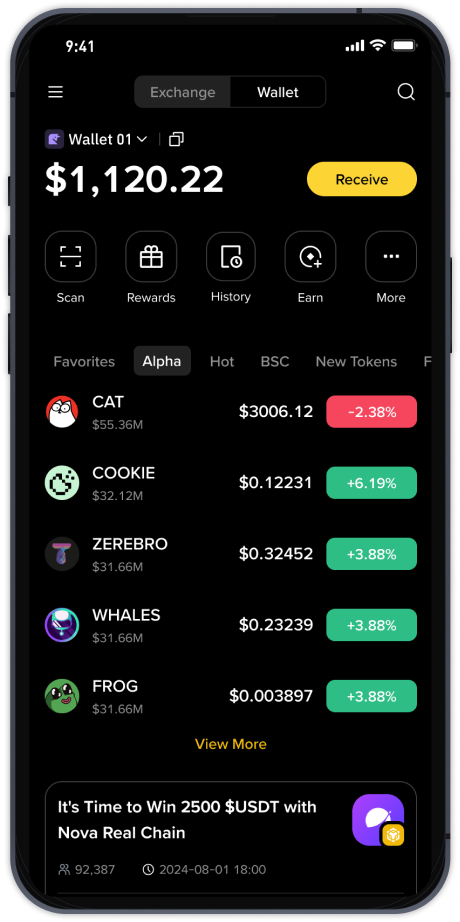
How to Operate Pangu Community’s Binance Chain DEX: A Step-by-Step Guide for Beginners
Pangu Community has emerged as a notable hub for decentralized finance enthusiasts, particularly those interested in trading on the Binance Chain ecosystem. If you are new to this platform, understanding how to operate the Pangu Community’s Binance Chain decentralized exchange (DEX) can seem complex. However, the process is straightforward once you break it down into basic steps. This guide will walk you through the key operations, from wallet setup to executing trades.
First, you need a compatible wallet. Since the exchange operates on the Binance Chain (BEP-2 or BEP-20 token standard), you will need a wallet like Trust Wallet, MetaMask (configured for Binance Smart Chain), or Binance Chain Wallet. For Pangu Community’s DEX, Trust Wallet is often the most user-friendly option. After installing your wallet, ensure you have some BNB for transaction fees. Without this base asset, you cannot initiate any swap or transfer on the network.
Next, access the official Pangu Community DEX interface. Be extremely cautious here—scammers often create fake links. Always use the official URL shared through verified Pangu Community social media channels or official announcements. Once on the site, click “Connect Wallet.” Your wallet extension will prompt you to authorize the connection. Confirm the transaction to link your wallet to the exchange.
To trade, navigate to the “Exchange” or “Swap” section. You will see two token fields: “From” and “To.” Select the token you want to sell in the “From” field and the token you wish to buy in the “To” field. If the token you want is not listed automatically, you may need to paste its contract address. Pangu Community often lists new project tokens, so double-check the contract address from a trusted source like their official announcement or CoinMarketCap.
Enter the amount you want to swap. The system will display the estimated output and slippage. Slippage is the price difference due to market movement. For volatile tokens common in community-driven DEXs, you may need to increase the slippage tolerance to 1-3% to avoid transaction failures. Once satisfied, click “Swap” and then confirm the transaction in your wallet. Wait for the blockchain to process it; this usually takes a few seconds to a minute.
Beyond simple swaps, the Pangu Community Binance Chain DEX often offers liquidity pool features. If you want to earn passive yield, you can “Provide Liquidity” by depositing two tokens (like BNB and a community token) in a pool. In return, you receive LP (Liquidity Provider) tokens, which represent your share. You can stake these LP tokens in a farm to earn additional rewards. However, be aware of “impermanent loss,” which occurs when the price ratio of your two deposited tokens changes significantly.
Security is paramount. Never share your private keys or seed phrase. For tokens with no trading volume or an unverified contract, avoid trading until the Pangu Community team reviews them. If a transaction fails, check if you have enough BNB for gas or if the token has a “tax” or fee requirement. Some community tokens impose a transfer fee, which the default slippage setting may reject.
Lastly, always check the transaction history on Binance Chain’s block explorer (e.g., BscScan). If a token appears suspicious with no holders or locked liquidity, steer clear. The Pangu Community DEX is a powerful tool for accessing early-stage projects, but it requires careful research and a methodical approach. Start with small amounts to test the process, and join their official Telegram or Discord group to stay updated on new features and potential issues.